
A Linux desktop theme that keeps the mysteries of the Rosary—and the beauty of sacred art—in front of you.
Most of us spend a large part of the day in front of a screen. Work, study, correspondence, the small tasks that fill a life—they all happen on a desktop. Rosary for Omarchy began with a simple question: if that screen is where so much of the day is spent, why not let it be beautiful in a way that lifts the heart to God?
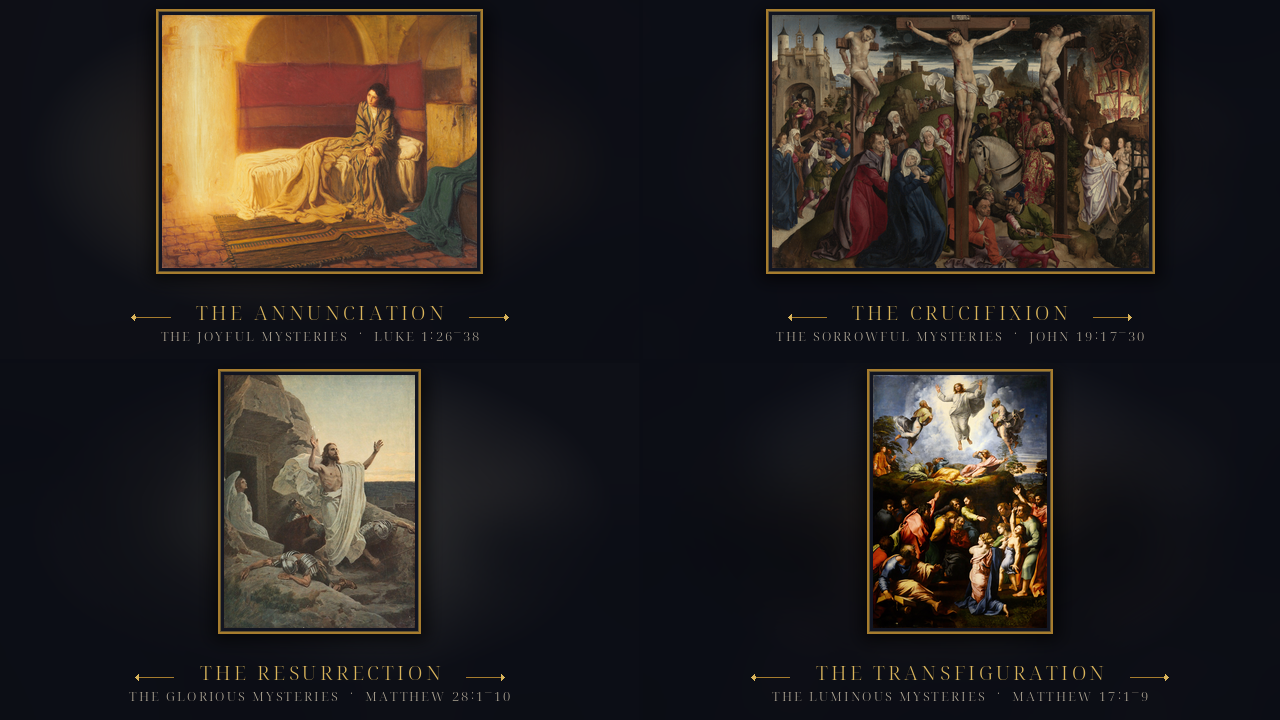
Rosary for Omarchy is a candlelit sacred-art theme for Omarchy, an Arch-based Linux desktop. It is not a devotional app, and it is certainly not a replacement for prayer. It is a visual environment: twenty public-domain paintings, one for each mystery of the Rosary, paired with Scripture and arranged around the Church’s week. Antique gold, ultramarine ink, and parchment tie the varied paintings together. The result is a desktop that quietly remembers the Rosary while you work.
“One thing I have asked of the Lord, this will I seek after; that I may dwell in the house of the Lord all the days of my life: that I may see the delight of the Lord, and that I may visit his holy temple.”
— Psalm 27:4 (Douay-Rheims)
Surrounding ourselves with beautiful images of the Sacred and with the words of Scripture does not make us holy by itself. But beauty has always been one of the ways God draws us back. A painting of the Annunciation, a line from Luke beneath it, the small cross at the cursor—these are tiny reminders, and a day is made of tiny reminders.
A desktop that follows the week
The twenty paintings are grouped in the traditional four sets of the Rosary—Joyful, Sorrowful, Glorious, and Luminous—five mysteries each. The theme follows the customary weekday order:
| Day | Mysteries |
|---|---|
| Sunday | Glorious |
| Monday | Joyful |
| Tuesday | Sorrowful |
| Wednesday | Glorious |
| Thursday | Luminous |
| Friday | Sorrowful |
| Saturday | Joyful |
At midnight, the theme’s rosary-daily script places the five paintings of the new day into the background rotation and sets one as the wallpaper. If you use the auto-wallpaper plugin, it keeps cycling through those five; otherwise the theme advances through them itself every half hour. The change is automatic. You do not have to tend it.
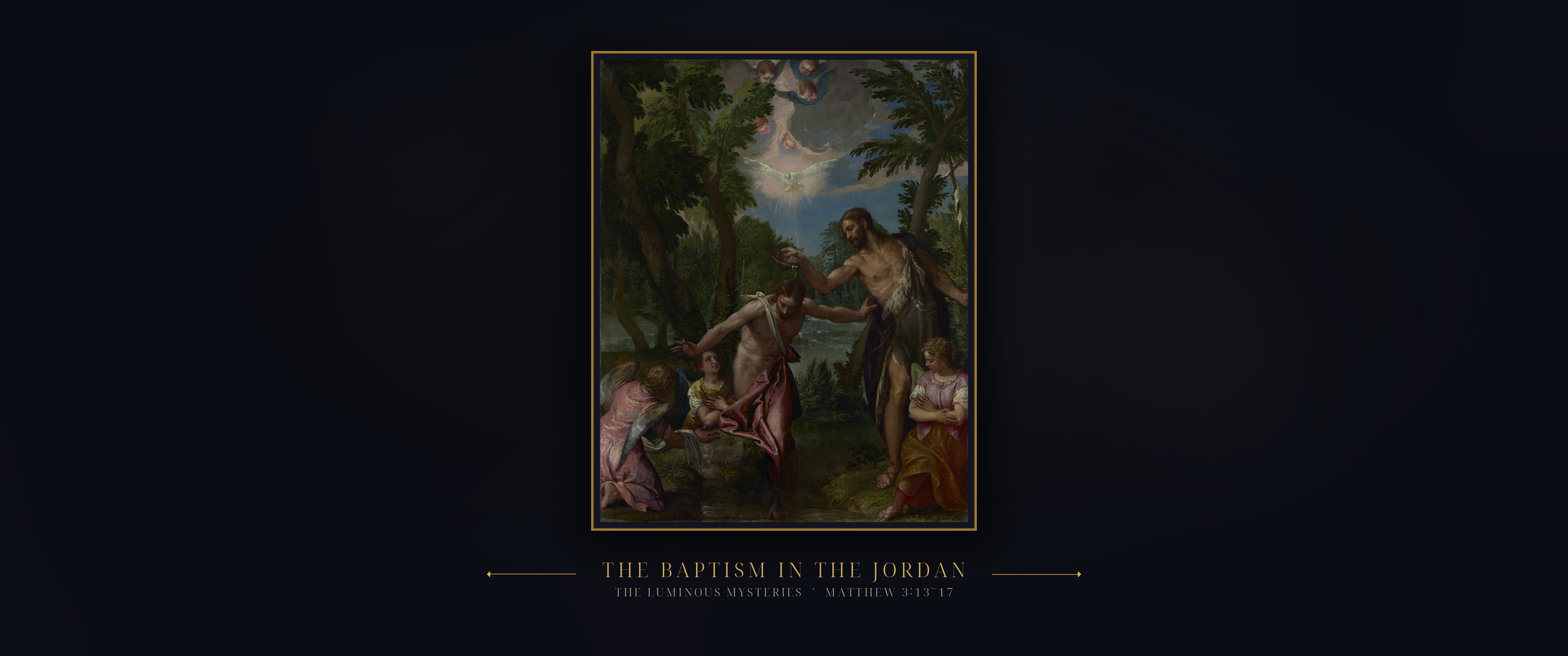
The wallpapers are built at 3440×1440 (21:9). The painting sits in a thin gold frame over a blurred, deeply muted echo of itself, with the mystery and its Scripture below. On an ultrawide screen, nothing of the painting or caption is cropped; on 16:9, only the ink at the sides is lost. The palette is equally deliberate: ultramarine night, parchment text, antique-gold accents, and a deep oxblood for the Passion.
More than a wallpaper
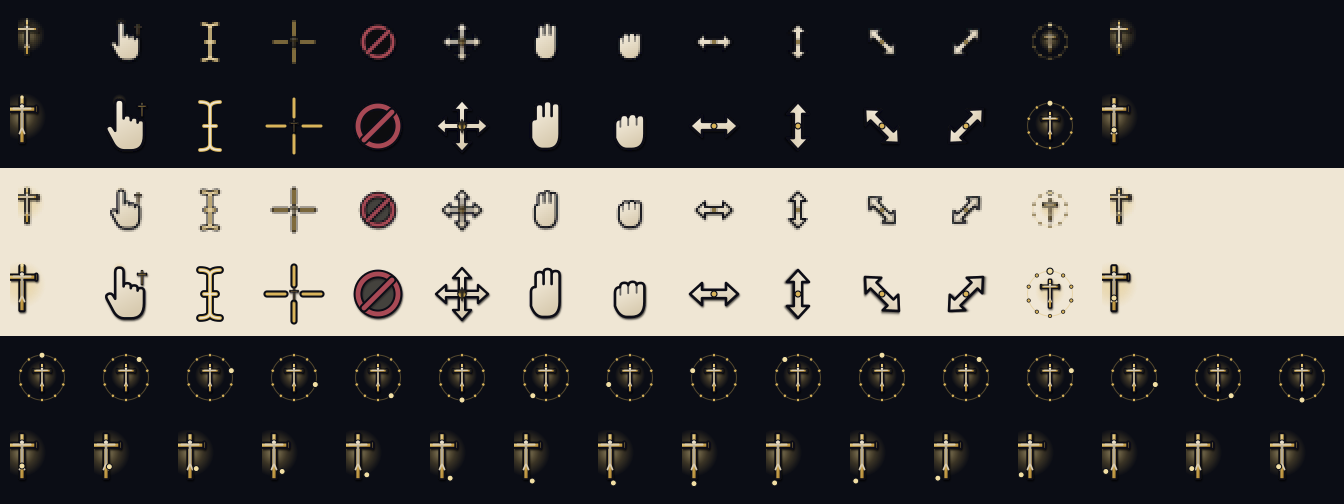
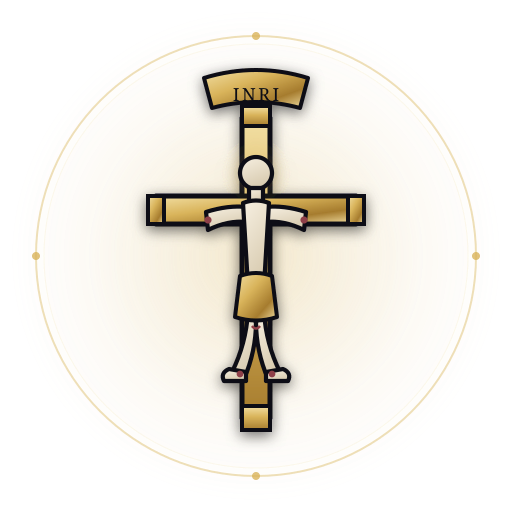
The theme is in the details, too. The cursors are drawn around a small gold crucifix: the pointer is a cross, the hand carries a cross at the wrist, the I-beam is a slender cross, and the wait and progress cursors are strings of rosary beads. The lock screen and boot splash use a gold crucifix in a thin ring, with a quiet ivory corpus and a small INRI scroll. The terminal follows the same palette: a Starship prompt, a fastfetch crucifix logo, lazygit and eza/fzf colours, and a login chime made from four tolls of a vintage mission bell. None of it is loud. The details are meant to be noticed gradually.
A companion for the daily readings
The theme sets the scene; the Catholic Reference plugin keeps the day’s readings close. It is a separate Chi-Rho bar widget for Omarchy, with the Douay-Rheims Bible, the Catechism, prayers, the Liturgy of the Hours, and the saint of the day. The panel opens over the desktop in the same quiet palette. On a busy day, it is a way to keep the readings and the saint before you without opening another window.

In the Readings tab, the day’s Scripture is presented with a simple Lectio Divina prompt: read, meditate, pray, contemplate. It is the same rhythm the Rosary invites us into—not rushing past the words, but staying with them long enough for them to become prayer.

The theme works without the plugin, and the plugin works without the theme. Together they make a quiet rhythm: beauty on the desktop, the Church’s readings in the bar, and the Rosary never far from the mind.
Install
Rosary for Omarchy is free and open source. It requires an up-to-date Omarchy with the Quickshell shell. The repository, full documentation, and image credits are here: github.com/whelanh/omarchy-rosary-theme.
git clone https://github.com/whelanh/omarchy-rosary-theme.git
cd omarchy-rosary-theme
./install.sh
./install.sh --all also repaints the boot splash; it will ask for sudo and rebuild the initramfs. --no-cursors keeps your present cursor, --no-rotate installs the theme without the daily timer, and --uninstall removes it (switch to another theme first). If you want the custom border gradient, use ./install.sh rather than omarchy theme install.
If Living Themes is installed, the cursor, prompt, fastfetch, lazygit, eza/fzf, and login chime follow omarchy theme set. If it is not, the terminal rice stays in extras/ for you to copy.
The companion plugin is Catholic Reference, listed on the official Omarchy plugin site.
A closing thought
The Rosary is not an ornament, and a desktop theme is not a substitute for prayer. But beauty is a doorway. A painting of the Visitation, a verse from Luke, the small cross at the cursor—these can be the nudge that turns a distracted moment into a glance toward God.
“I have set the Lord always in my sight; because he is at my right hand, I shall not be moved.”
— Psalm 16:8 (Douay-Rheims)
If you use Omarchy, you can install the theme from GitHub and let the Church’s week colour your desktop. May it help you keep the Lord before you, one ordinary day at a time.
Credits and licenses. The underlying paintings are public domain. The framed and captioned plates are adapted from The Free Catholic Gallery by Shalone Cason, licensed CC BY 4.0, except Christ among the Doctors, which is from The Metropolitan Museum of Art’s open-access collection. Paintings shown here: The Annunciation by Henry Ossawa Tanner (1898), The Crucifixion by the Dreux Budé Master (c. 1450), The Resurrection by Gebhard Fugel (1932), The Transfiguration by Raphael (1516–1520), and The Baptism of Christ by Paolo Veronese (1580–1588). Per-painting attribution and source links are in the theme’s CREDITS.md. The theme code, cursor drawings, badge, chime edit, and wallpaper treatment are MIT licensed. The login chime is a trim of G20-12-Mission Bells by Craig Smith (Freesound 438227), released under CC0 1.0. The Catholic Reference screenshots are from the author’s desktop.
Comments
Post a Comment